
Smart Import
Smart Import turns images, pasted text and web content into events you can edit in Hour by Hour. On iOS 27 and later, it uses Apple’s Private Cloud Compute to build your schedule.
To get started, tap the create button in the bottom right of the Home Screen. You can:
- Choose from Library - import a screenshot or photo you've already taken.
- Take Photo - import a printed program, noticeboard, handwritten plan, or anything else you can photograph.
- Paste text, link or image - paste a copied schedule from an email, website, message, image, or URL.
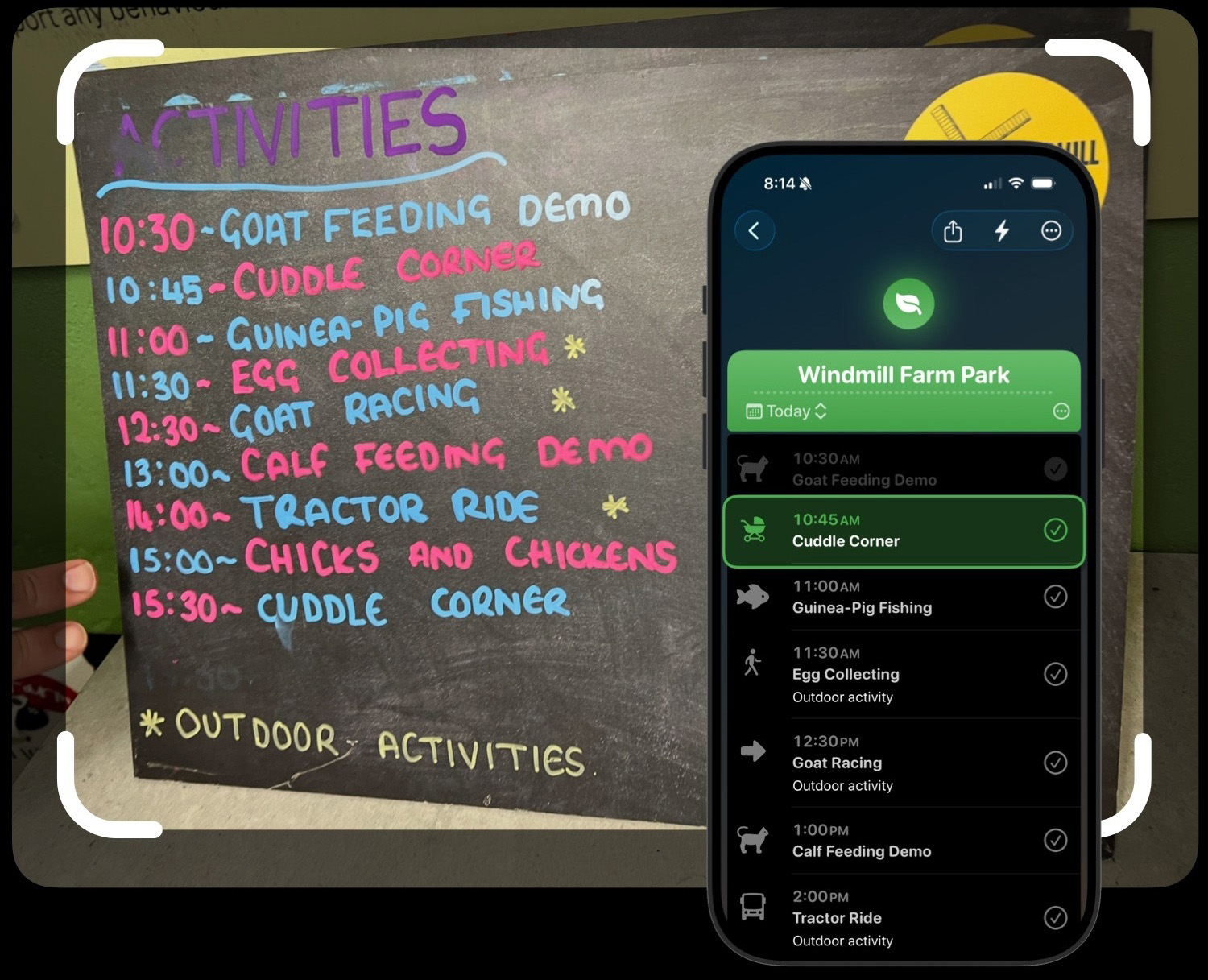
Here's the example that motivated me to add the feature, though I've seen many others since!
It may be helpful to import the following:
- A conference program (or at least a portion of it!)
- A concert program
- A school time plan
- A copied itinerary from an email
- A web page with a timetable or event schedule
- Written travel itineraries
When you paste a webpage URL, Hour by Hour uses the readable text from the page to find the schedule. On devices running iOS versions earlier than 27, Hour by Hour uses OpenAI instead. Learn more about privacy.
A note on accuracy
Since AI is doing the heavy lifting here, it's not always perfect. It can sometimes misread times, mix up event details, or miss things entirely. So once your schedule is imported, it's definitely worth taking a quick look through to make sure everything looks right before you start planning around it.
In my experience it's close to 100% accuracy for simpler schedules of 10 or fewer items. But if you take a photo of a dense multi-track conference with dozens of events, it'll likely get things wrong.
Dates can be a little subtle too. If the source includes a day and month but not a year, Hour by Hour will try to choose the next future date. If the source doesn't include a date at all, it should leave the schedule unscheduled.